Skip to content
Despacha+ See it in action

Software for vehicle registration offices

From front desk to cash desk, without retyping a single document.

Drop a photo of the vehicle document and Despacha+ fills in the client and vehicle for you to review. Issue the order, follow every step and take payment at the cash desk, all on the same screen, on your computer or phone.

Runs in your browser, nothing to install. In Portuguese, English and Spanish.

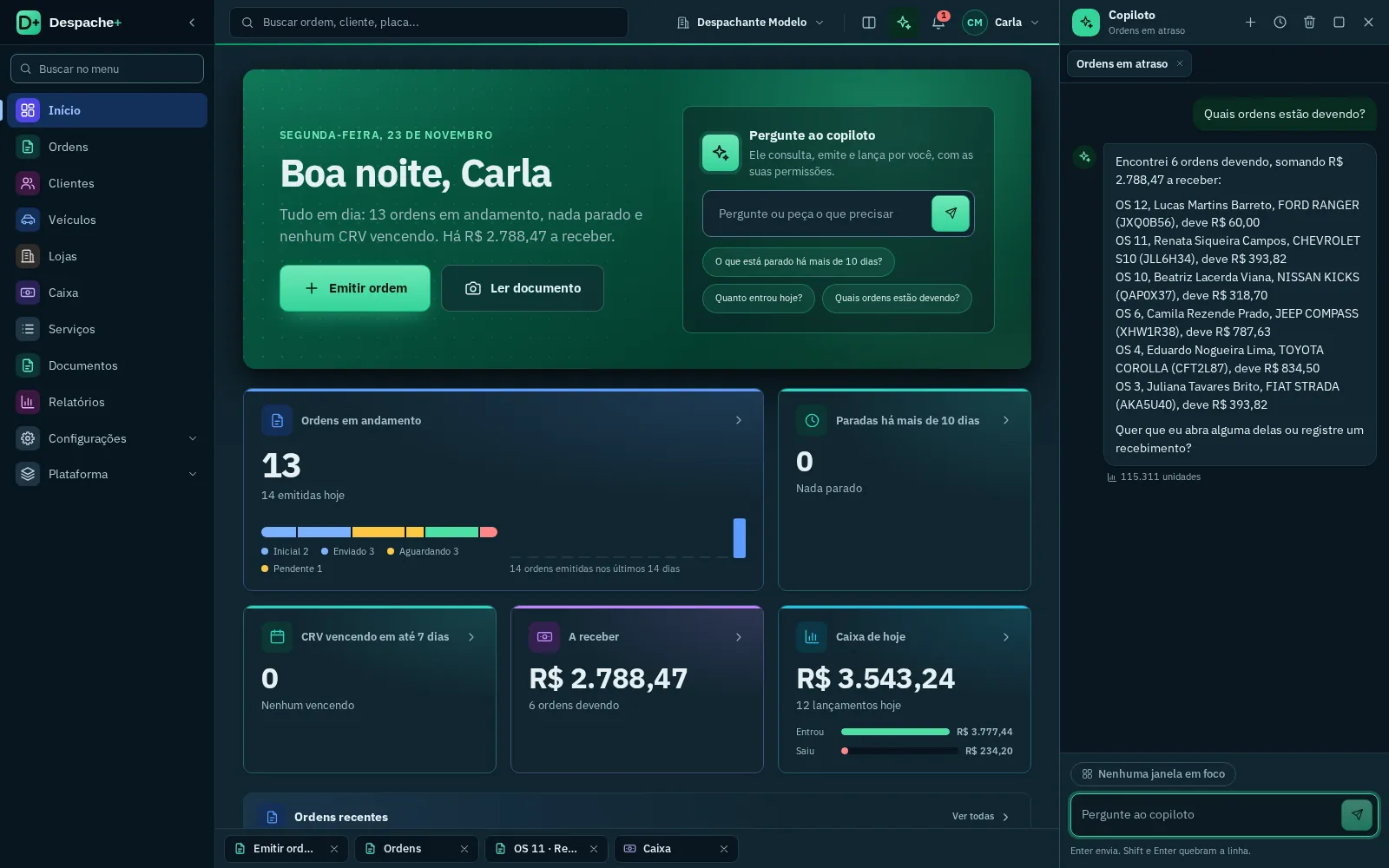
Despacha+ home: orders in progress, what is stalled, what is still to be received and today's cash desk
Despacha+ open on a phone

How it works

Three steps from front desk to cash desk

The office's everyday path, with as few taps as possible and nothing typed twice.

  1. Drop the document

    A photo or PDF of the vehicle document, the CNH, the transfer authorization or a receipt. The AI identifies the type, reads the fields and shows everything side by side with the image. Nothing is saved without your confirmation.

  2. Issue the order

    Client, vehicle, services and amounts on the same sheet, using your office's service price list. Existing clients show up in the search; new ones are added on the spot.

  3. Track and get paid

    Move the order through each step, see what is stalled and who owes you, and take payment in cash, Pix or card with the amount linked to the order.

Artificial intelligence, every day

AI that takes work off the front desk, not AI that creates more.

The artificial intelligence in Despacha+ handles the tiring parts: it reads documents and answers questions. You are still the one who decides.

Document reading

Drop the photo or PDF and review what was read next to the image, field by field.

  • Vehicle document, transfer authorization, CNH, ID card, proof of address and invoice
  • CPF, CNPJ, plate, chassis number and RENAVAM checked by the system's validators
  • Clients and vehicles already on file are found, not duplicated
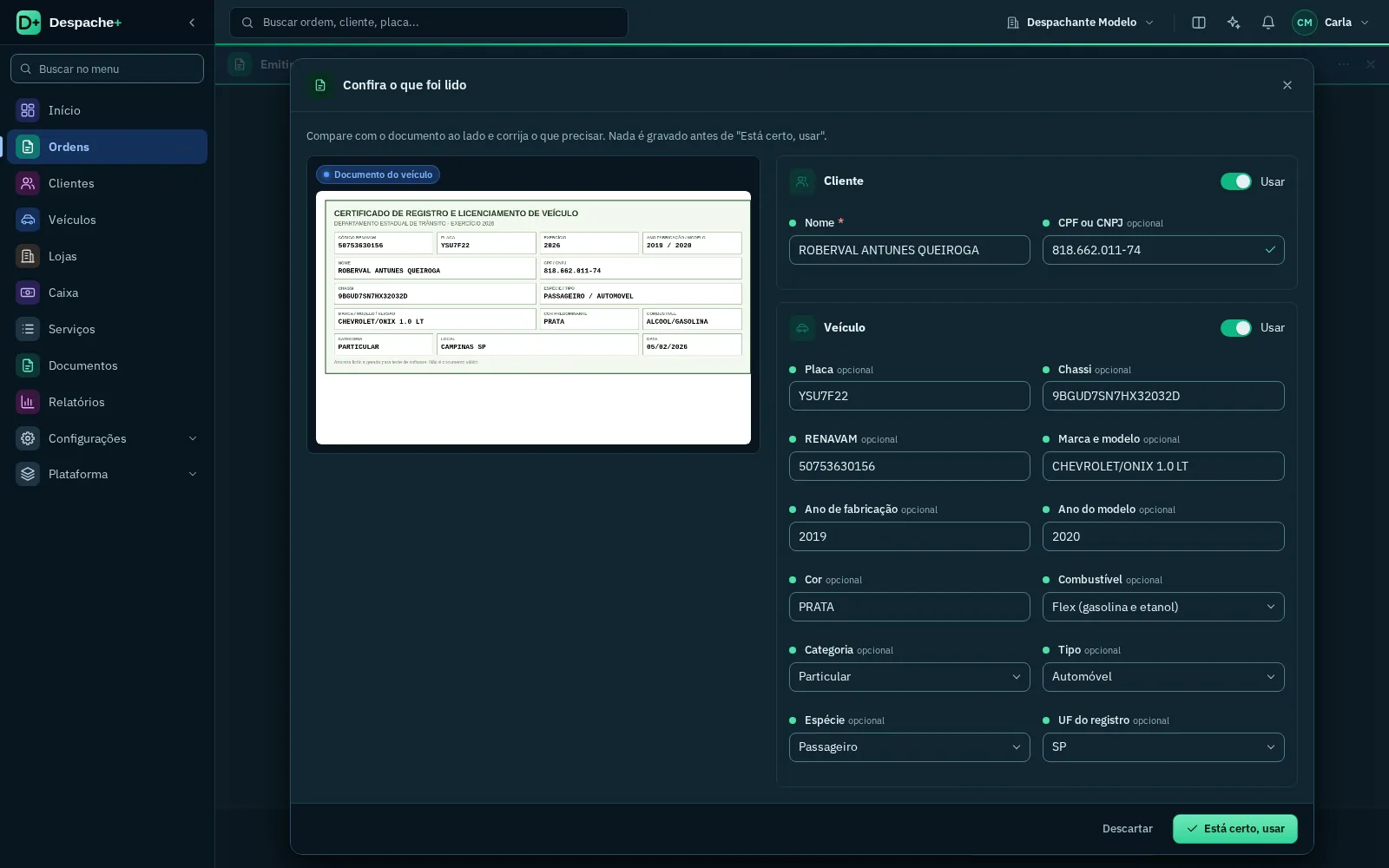
Reading review: the vehicle document image next to the filled-in client and vehicle fields

Office copilot

Ask in plain language, the way you would ask a colleague at the front desk.

  • What has been stalled for more than ten days? How much came in today? Who owes us?
  • Ask it to issue an order or record a payment and it prepares a card with names and amounts
  • It only saves when you confirm, and always within the permissions of whoever is using it
Conversation with the Despacha+ copilot answering questions about the office's orders

Inside

Real screens, the way the office uses them

No mockups: these are the system's actual screens, with a demo office and fictitious data.

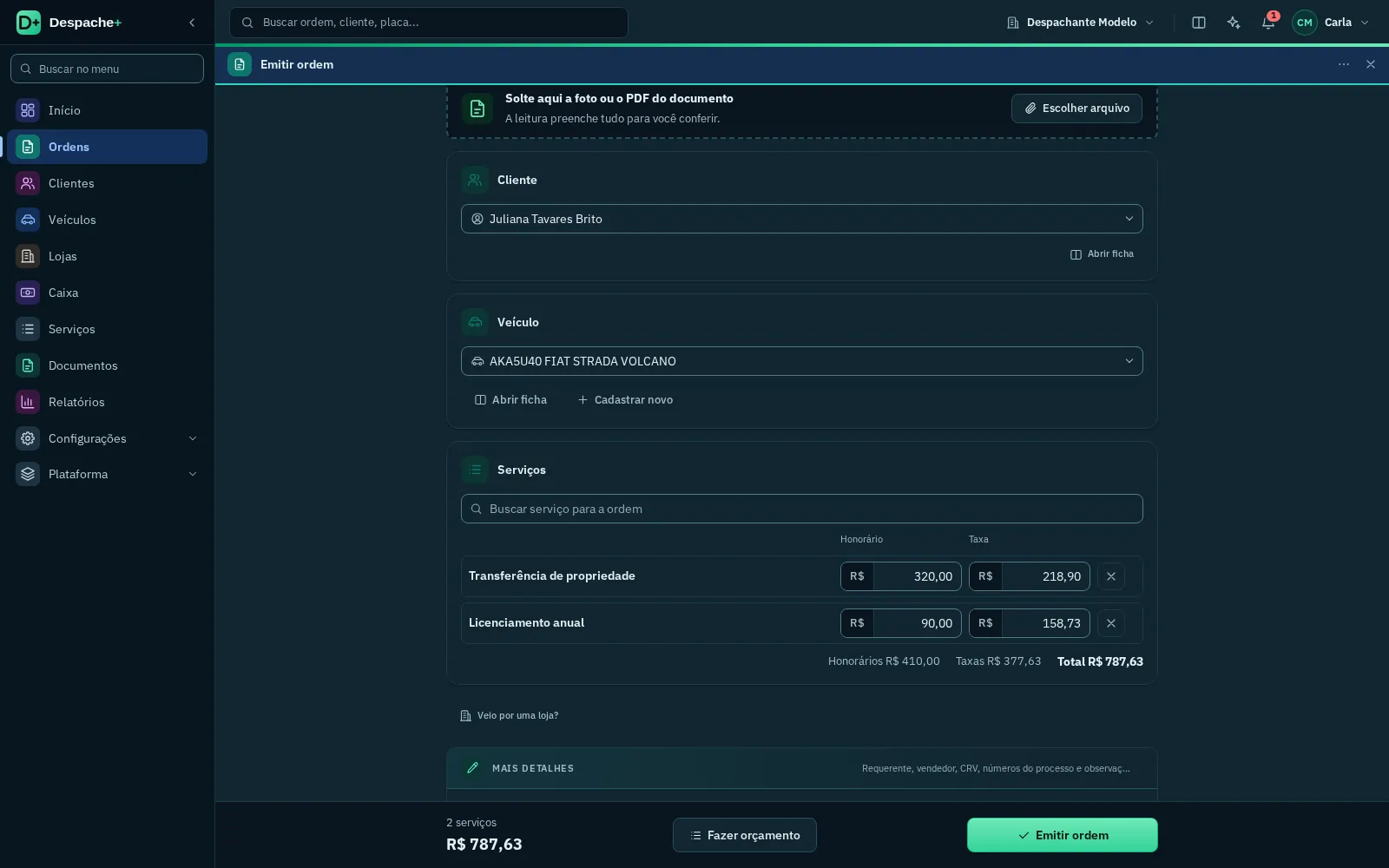
Order issuing screen with client, vehicle, services and total
Issue order Client, vehicle and services on a single sheet. Dropping the document at the top fills everything in for review.
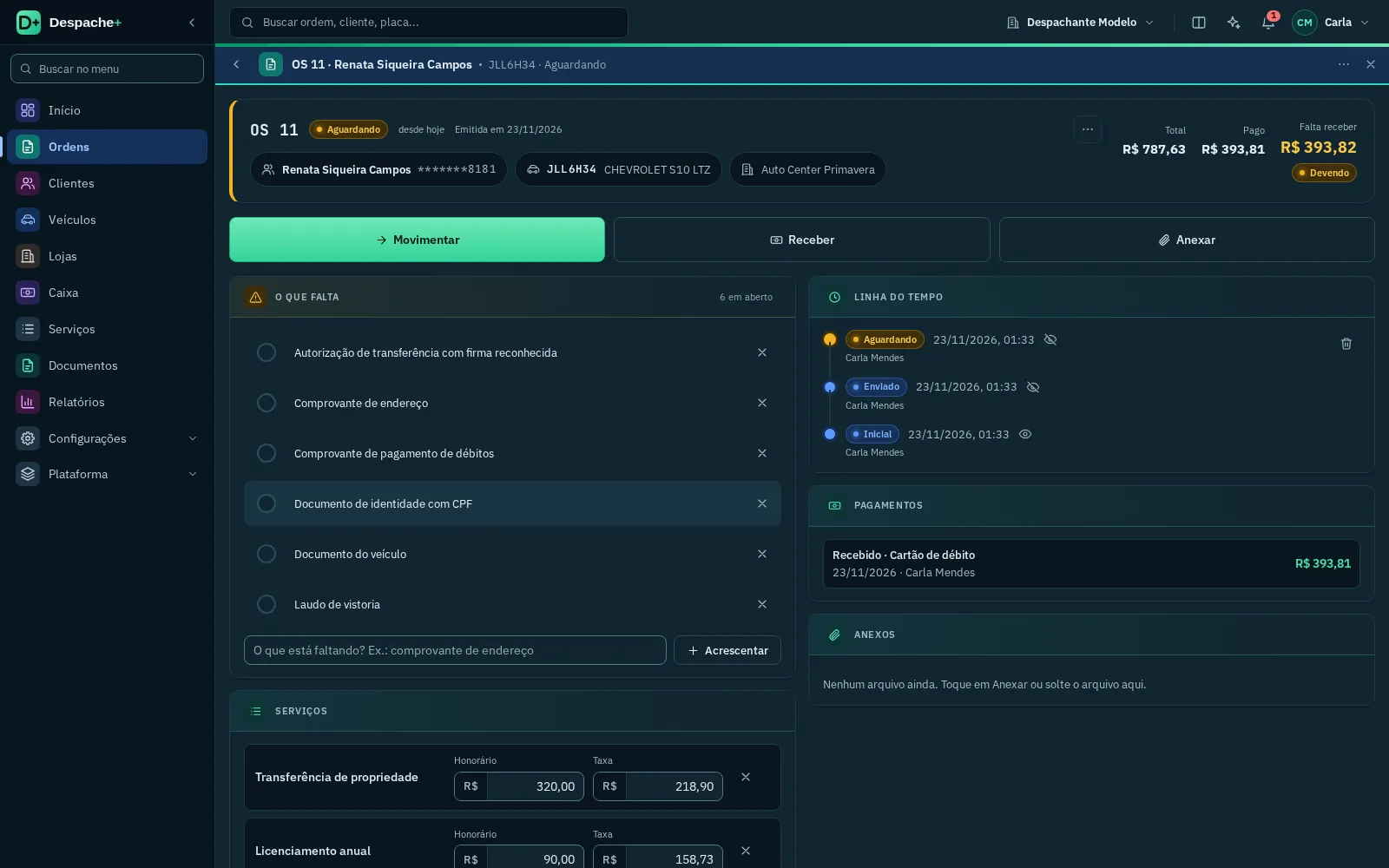
Record of a transfer order with the timeline and payments
Order record One page with services, timeline, pending items, attachments and payments, plus three big actions: move, receive and attach.
Order list with search and statuses
Orders A search that understands number, name, plate and document, with statuses as one-tap chips.
Day's cash desk with income, expenses, balance and entries
Cash desk The day's income and expenses by payment method. Entries are never deleted: they are reversed with a reason.

Features

Everything the office uses every day

See all features

Security and privacy

Your office's data, under your control

Client documents are personal data. Despacha+ was designed to keep only what is necessary and show it only to those who need it.

For document reading, the AI receives only the image or PDF along with the reading instruction. No other data from the office's records is sent.

How we protect data
  • Two-step verification

    Besides the password, a code from the authenticator app on your phone. Each person turns on their own.

  • Each office in its own space

    Every query and every save is filtered by the office of whoever is signed in. One office never sees another's data.

  • Per-person permissions

    Agent, Front desk and Finance roles, plus detailed permissions when you need them. Client documents appear masked to those who do not need to see them.

  • A log of who did what

    Issuing, moving, receiving, reversing and record changes are kept in the audit log, with the person, the date and what changed.

Frequently asked questions

What every office asks

See all questions

What is Despacha+?

It is online software for vehicle registration offices. It brings together service orders, clients, vehicles, partner dealers, the service price list and the cash desk, with document reading from a photo and a copilot that answers and acts through conversation.

How does the artificial intelligence read documents?

You drop the photo or PDF. The AI identifies the document type and reads the fields; the system checks CPF, CNPJ, plate, chassis number and RENAVAM and looks for the client and vehicle already on file. Everything appears next to the image for you to review, and nothing is saved before your confirmation.

Does the copilot make changes on its own?

No. It can look things up freely, but every save first appears on a card with names and amounts and only happens when you confirm. It also respects the permissions of whoever is using it: what you cannot do on screen, it will not do for you.

How much does it cost?

There are three monthly plans with no lock-in: Essencial, R$ 69.90 per month, up to 5 users; Profissional, R$ 79.90, up to 10 users; Completo, R$ 89.90, up to 50 users. Prices are in Brazilian reais. The full comparison, with each plan's limits, is on the Plans page.

Do I need to install anything?

No. Despacha+ runs in the browser on your computer and phone. Just sign in with your e-mail and password.

See it in action

See Despacha+ with your office in mind

Leave your contact details. The Ravi Systems team will get in touch, show you the system and answer your questions.

See it in action

Enter your WhatsApp, your e-mail or both.