Features
Every screen designed for the registration agent's front desk
Fewer fields, fewer clicks and nothing typed twice. See what Despacha+ does today, screen by screen.
Home
Open the system and know what to do
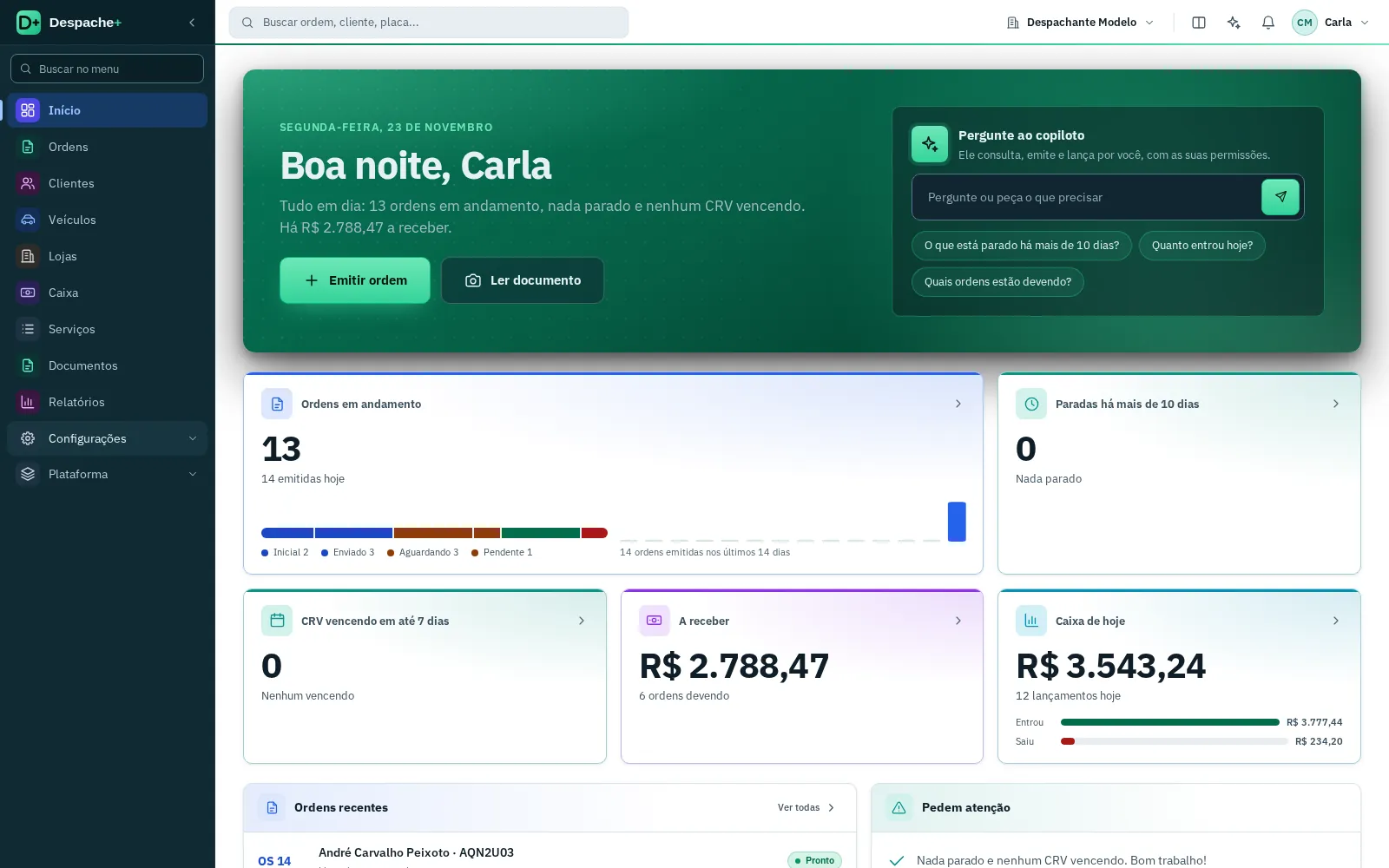
Home shows orders in progress by status, what has been stalled for more than ten days, transfer documents about to expire, what is still to be received and today's cash desk. Each card opens the list already filtered.
- The day summed up in one sentence, right at the top
- Issue an order or read a document with one tap
- Ask the copilot straight from Home
Issue order
A single sheet, from client to total
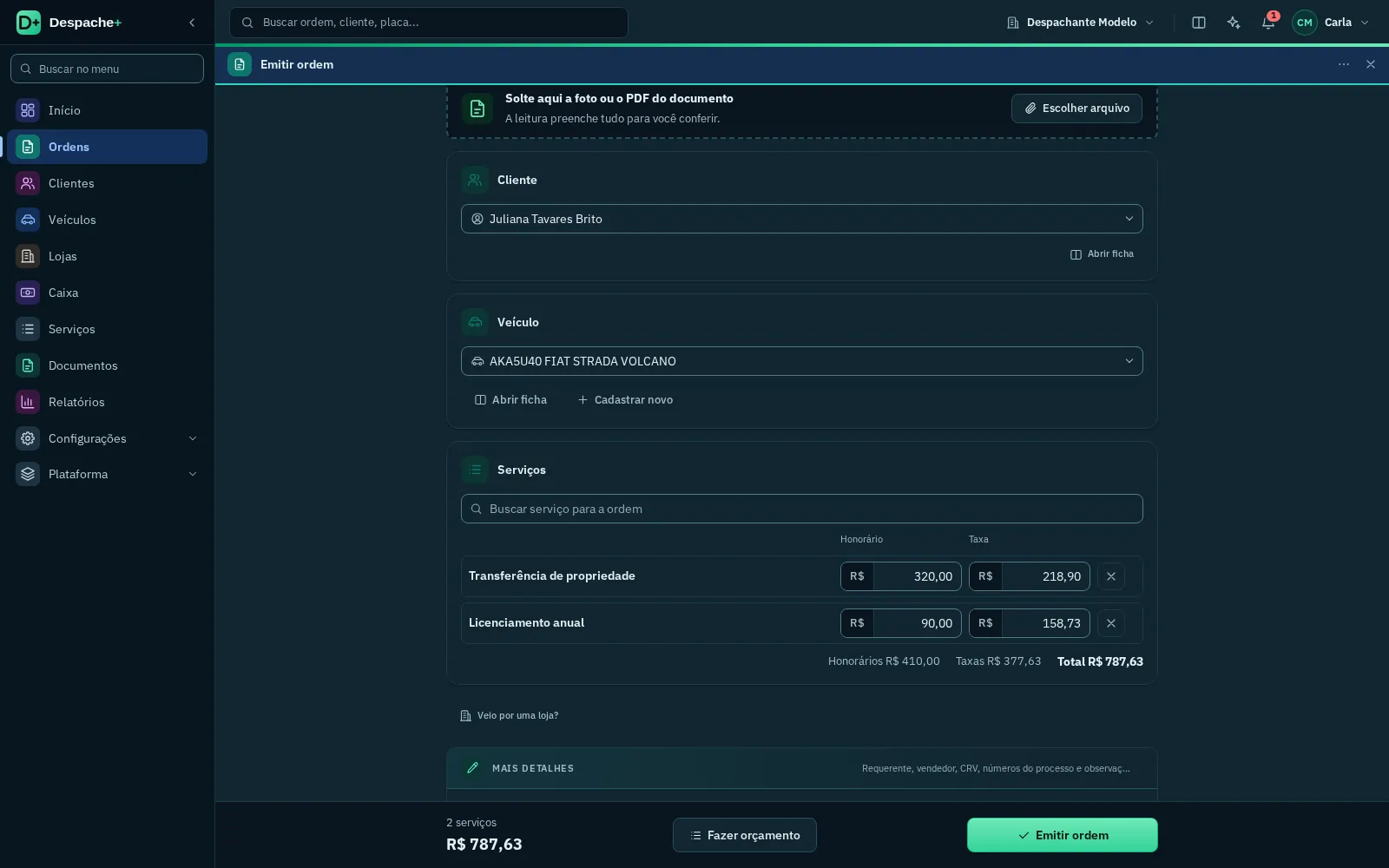
Client, vehicle, services and amounts on the same screen. The fee and the government charge come from the office's service price list and can be adjusted on the spot. Process details stay tucked away under More details, for when you need them.
- A search that creates the record on the spot when nothing is found
- Live total and optional payment right at issuing
- Changing the service price list never alters an order already issued
Document reading
A document photo becomes a verified record
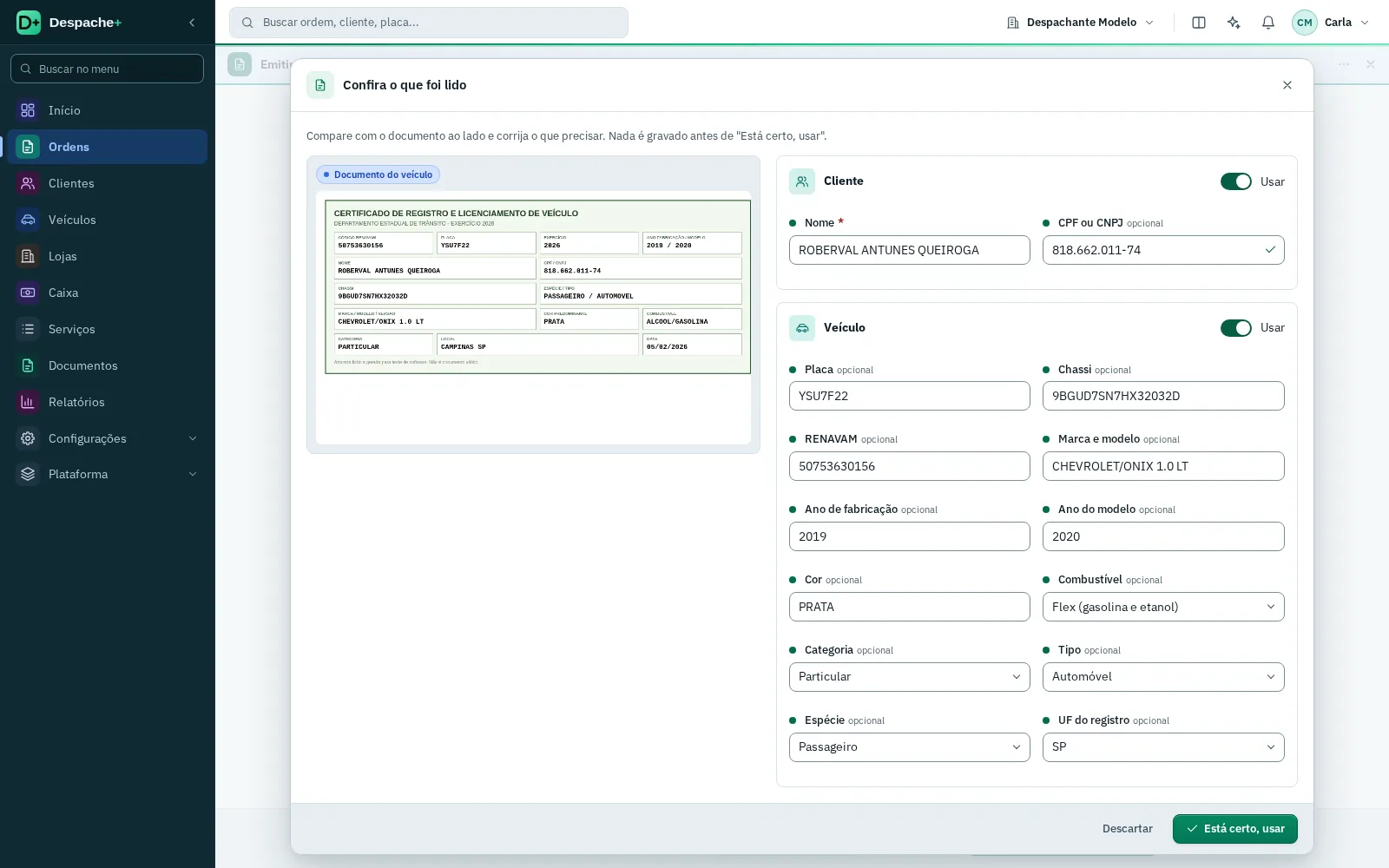
Drop the photo or PDF when issuing the order or on Home. The AI identifies the document type, reads the fields and shows the image next to each value for you to review. Only after you click Looks right, use it does anything enter the system.
- Vehicle document, transfer authorization, CNH, ID card, proof of address and invoice
- CPF, CNPJ, plate, chassis number and RENAVAM go through the validators
- Unconfirmed readings are deleted automatically after the office's set period
Order record
The whole order on one page
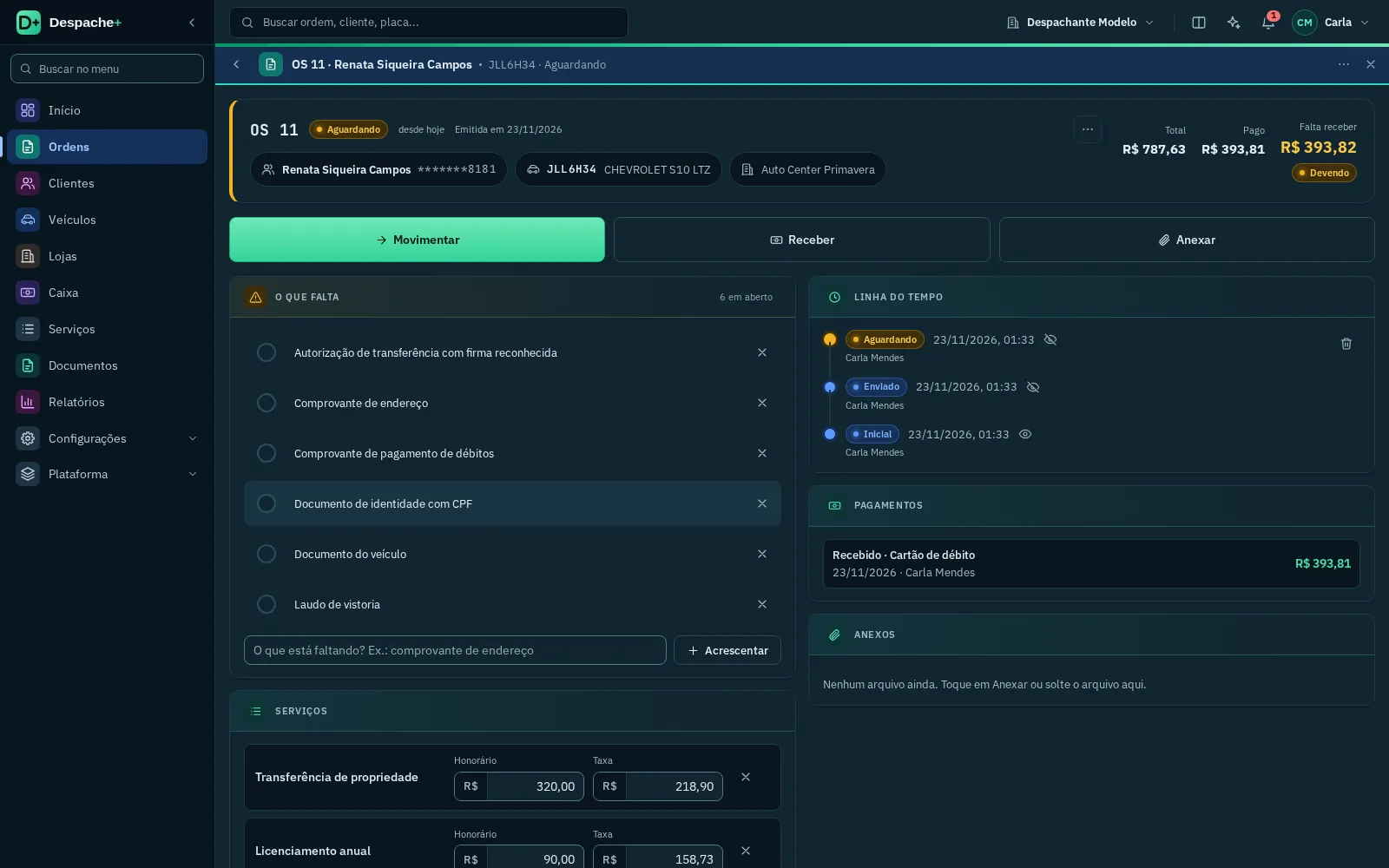
Number, status and financials at the top; services, step timeline, pending documents, attachments and payments in blocks. The day's actions are big and in plain sight.
- Timeline showing who moved the order and when
- Pending items linked to the documents each service requires
- Payments received and charges paid totaled on the order itself
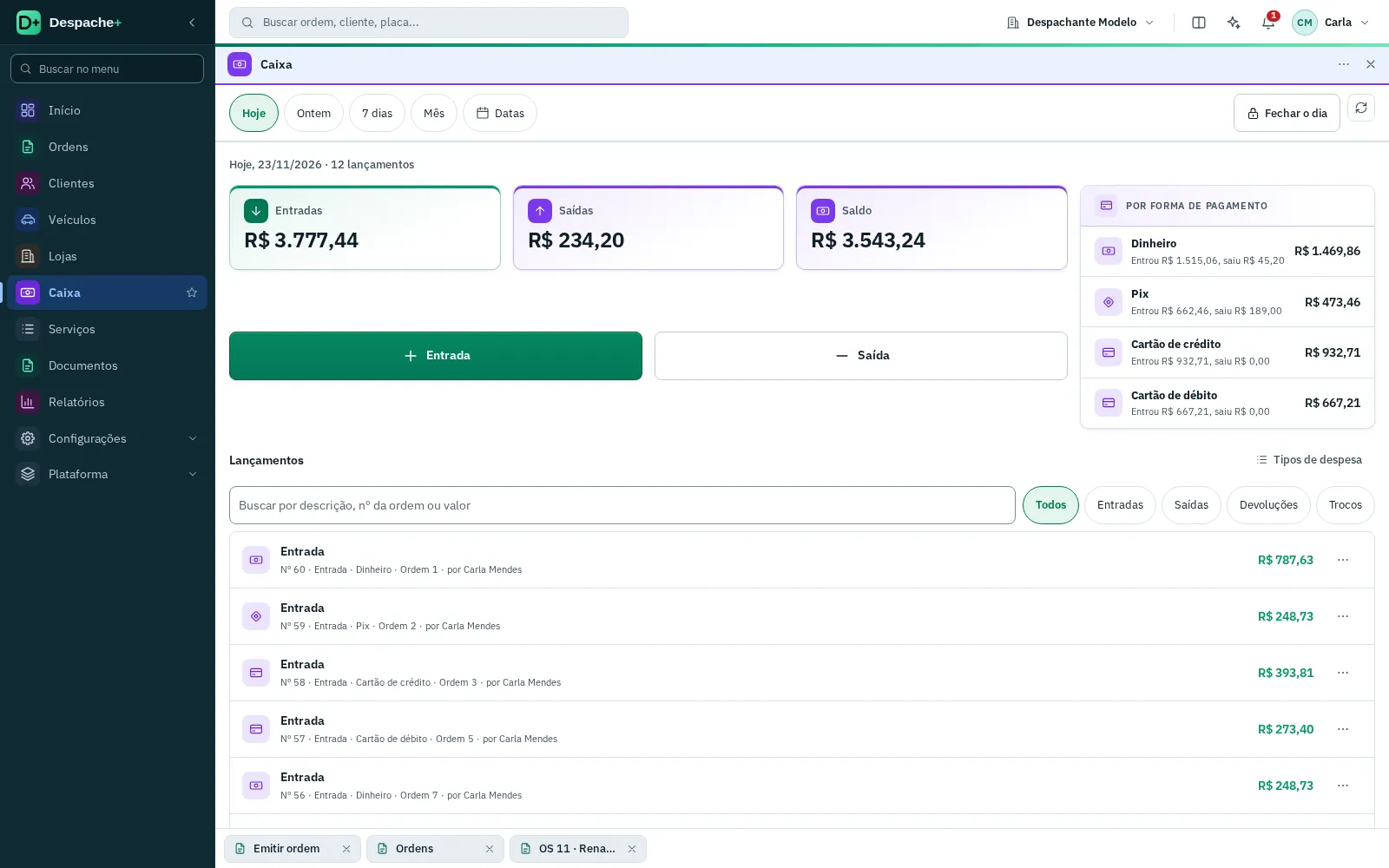
Cash desk
The day's money, no spreadsheet
Income, expenses and balance by payment method, for the day or any period. Receiving payment for an order adds straight to what it has paid; paying a charge is recorded on the order.
- Cash, Pix, credit and debit card, check
- The office's own expense types for outgoing entries
- Entries are never deleted: they are reversed with a reason
Mobile
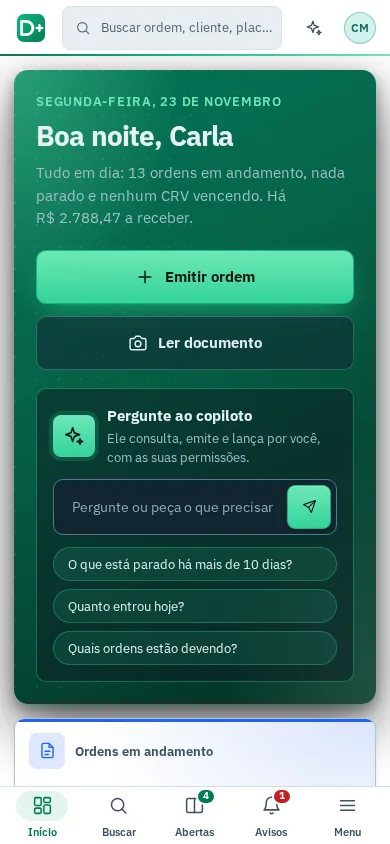
The office in your pocket
On a phone, Despacha+ opens one sheet at a time, with big buttons within thumb's reach. You can check an order on the go, photograph a document and take a payment without going back to the computer.
- No app to install: it opens in the browser
- The phone camera goes straight to document reading
- Light and dark theme, whichever you prefer
And more
Everything that comes with it
Service orders
The office's own numbering, statuses for each step, and a list with a single search and one-tap chips.
Clients
Only the name is required. Documents masked for those who do not need to see them, history and attachments.
Vehicles
A plate or chassis number is enough. Plate, chassis and RENAVAM validation, plus each vehicle's orders.
Partner dealers
The dealerships that send work to the office, with each one's orders in a single place.
Service price list
Fee, government charge, turnaround time and required documents for each service, edited right on the line.
Cash desk
Income and expenses by payment method, payments linked to the order and reversals with a reason.
Copilot
Answers, issues and records through conversation, always with a confirmation card before saving.
Document reading
Photos or PDFs read by AI and reviewed field by field next to the image.
Team and roles
Agent, Front desk and Finance roles ready to use. Each person sees only what their role allows.
Desktop and mobile
Side-by-side windows on a large monitor when you want them; one sheet at a time on a phone.
Three languages, two themes
Portuguese, English and Spanish; light and dark theme for each person.
Head office and branches
More than one location in the same office, with every entry and order in the right location.
Want to see it working?
The Ravi Systems team will show you Despacha+ with examples from your everyday work.