Quotes
An approved quote becomes an order in one tap.
Build the quote on the same screen as the order, with the prices from your list. Send the PDF to the client, keep an eye on the expiry date and, when they approve, the order is created with everything filled in.
- 10 days free
- No card and no charge
- Unlimited AI on every plan
01What changes
No quote forgotten in a drawer.
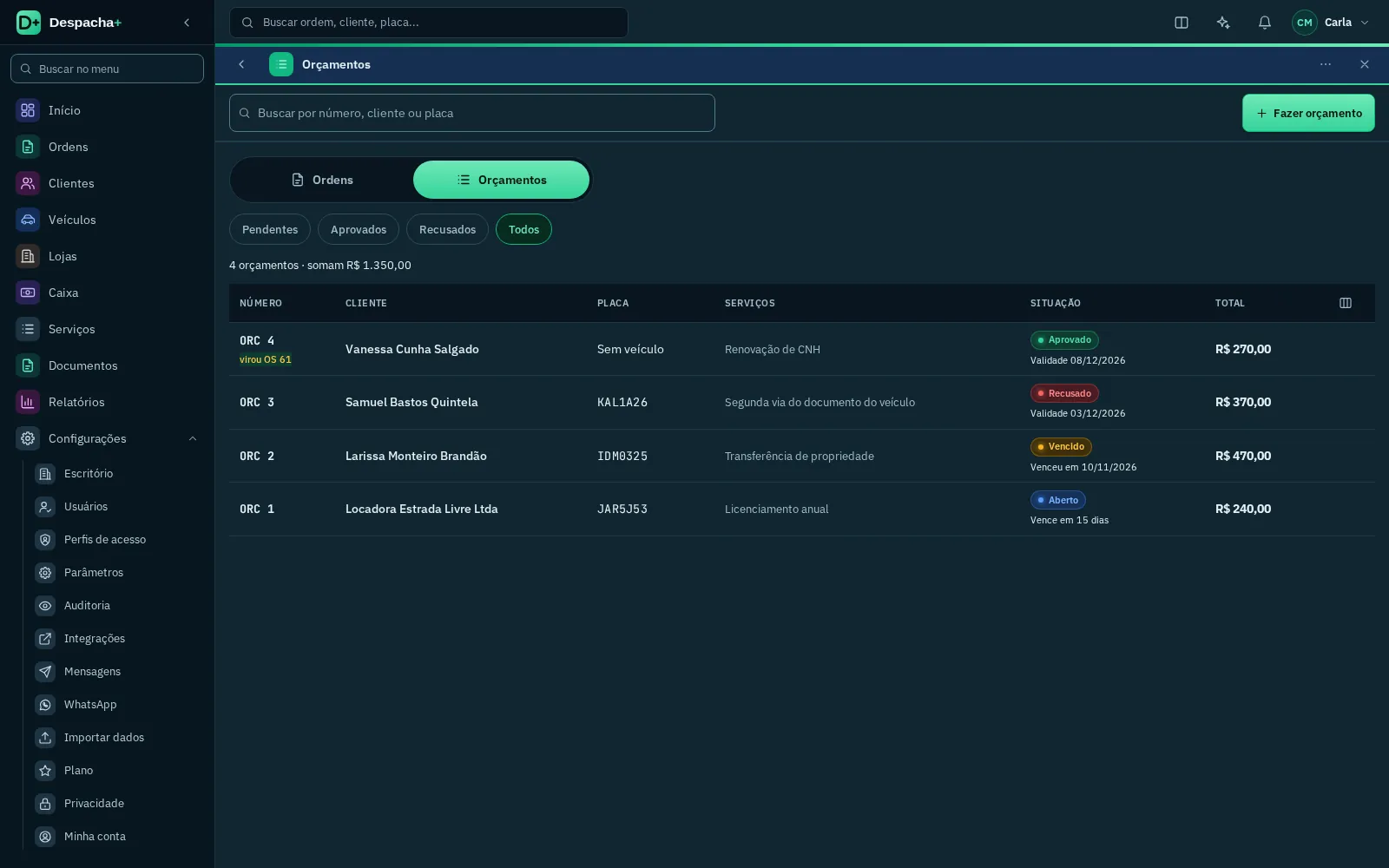
Each quote has a number, an expiry date and a status. The office knows what is open, what has expired and what became work.
- 01
Built on the order screen
The same fields as issuing: client, vehicle, services and amounts, with the Save as quote button.
- 02
PDF for the client
A PDF with the services, amounts and expiry date, to send or print.
- 03
Approved becomes an order
The order is created with everything from the quote, and the quote shows which order it generated.
02Save as quote
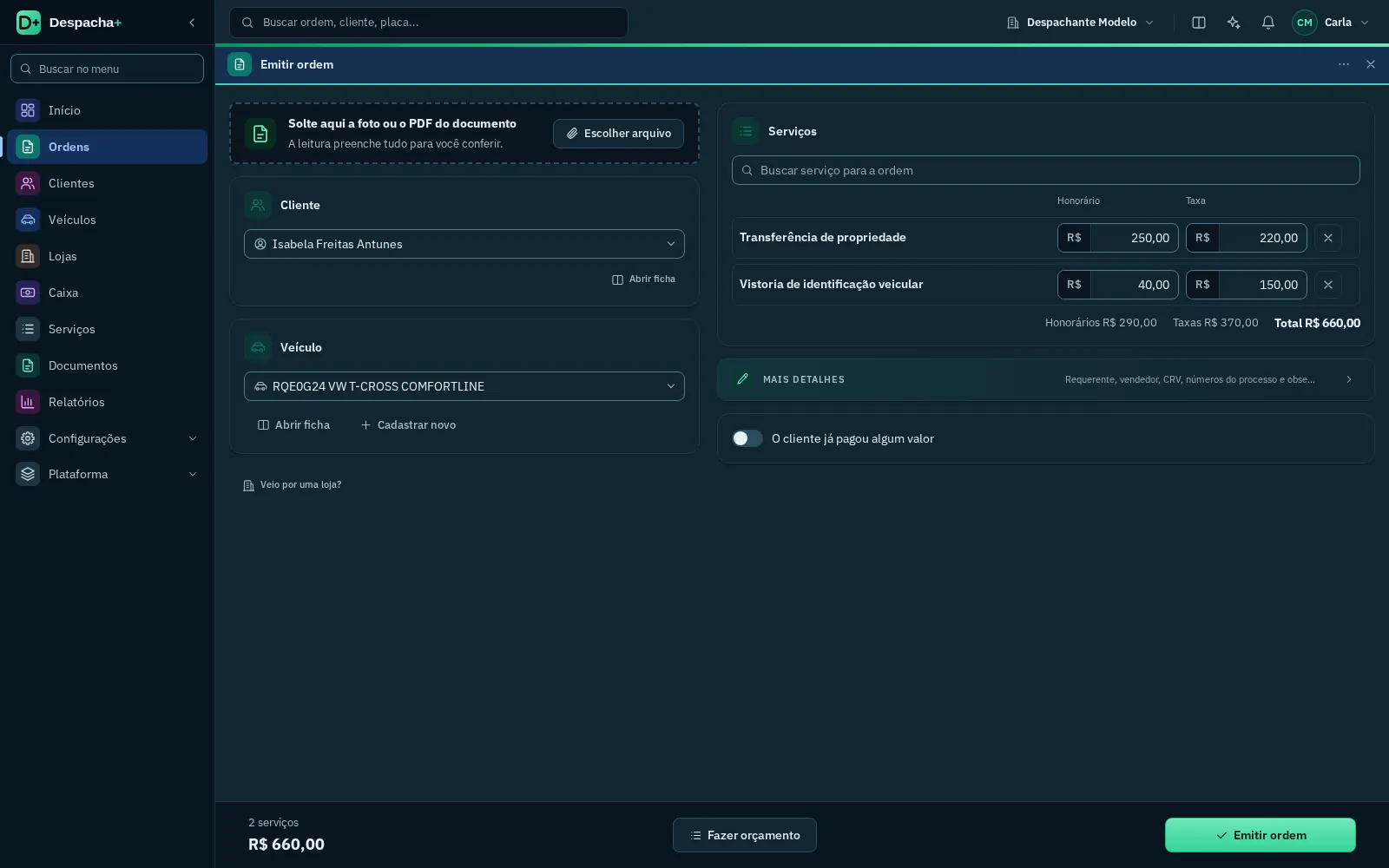
The same sheet as order issuing.
No new form to learn: choose client, vehicle and services and tap Save as quote instead of Issue order.
- Prices from the service price list, adjustable on the spot
- Each quote with its own expiry date
- Declined quotes stay marked, with the reason, for the record
03Expiry
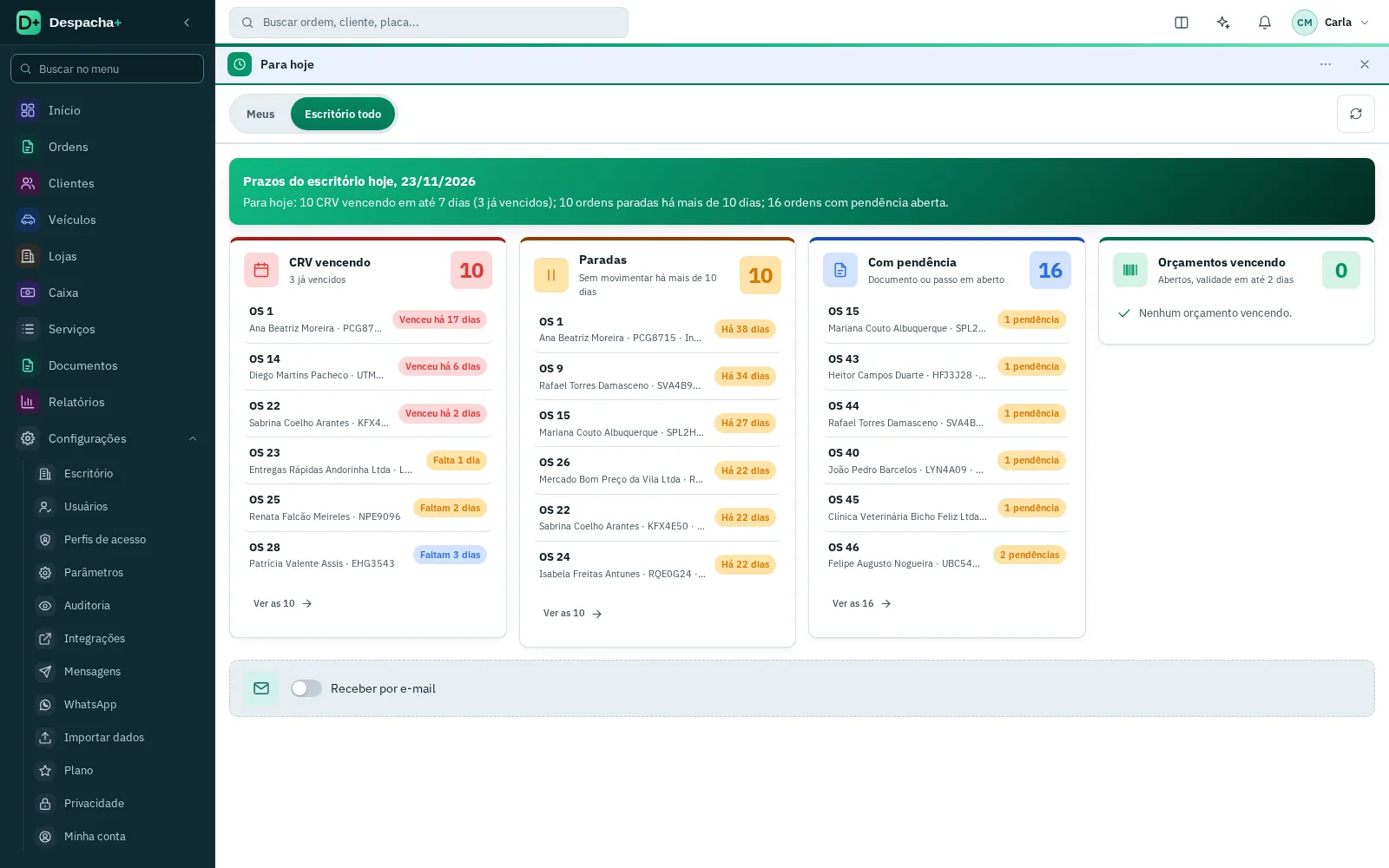
The system remembers what is about to expire.
Open quotes close to their expiry date appear on the For today screen, along with the office's other deadlines.
- Pending, approved and declined as one-tap chips
- The list adds up the value of the filtered quotes
- Orders and quotes side by side, on the same list
04Keep exploring
Works together with the rest of the office.
Your office on Despacha+ today.
Fill in the details, create your password and get into the system with 10 days free. No card, no charge and no need to talk to anyone.
- 10 days free
- No card
- Instant access
- Unlimited AI
- No lock-in