Reports
The office's month on a single screen.
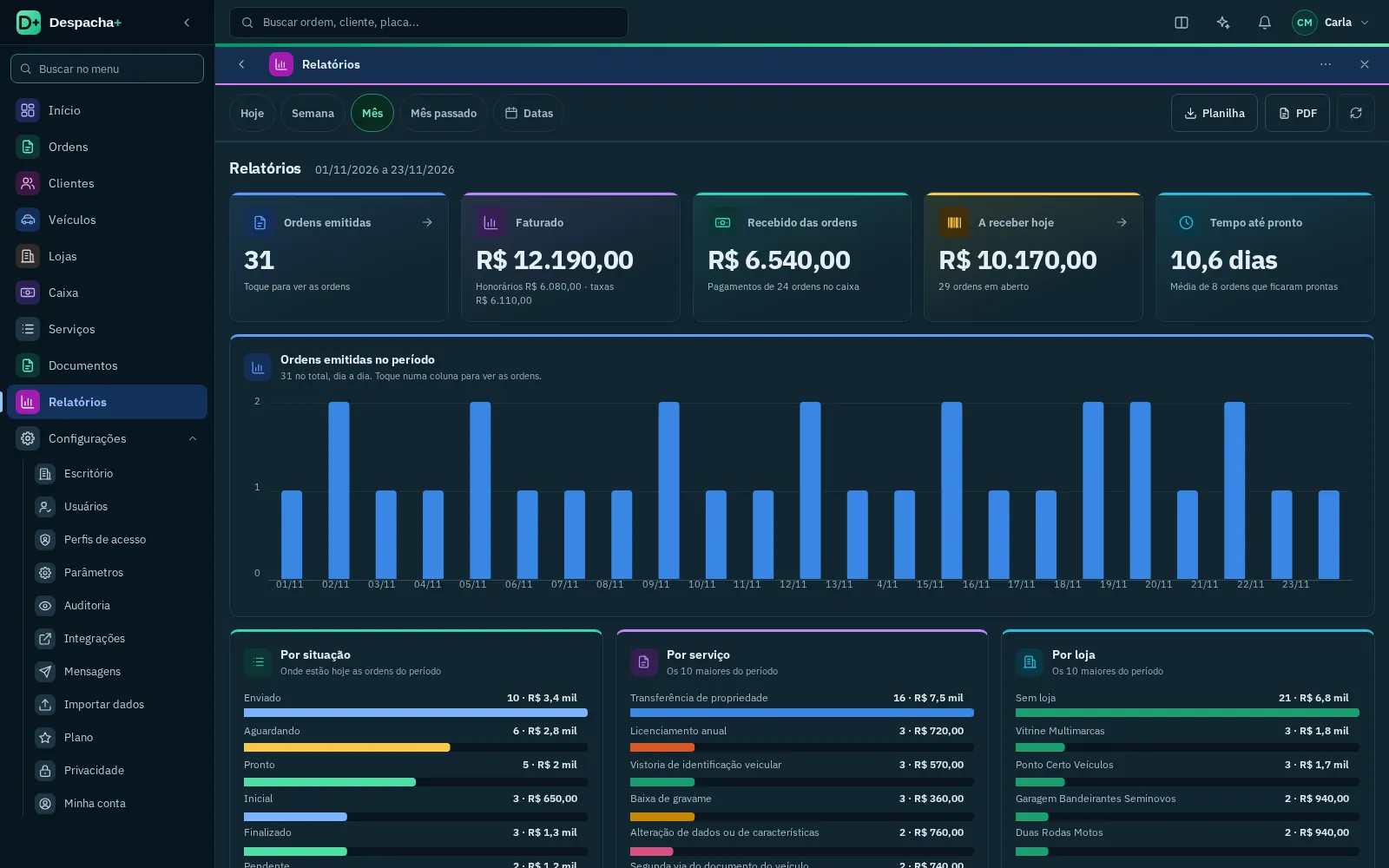
How many orders came in, how much was billed, how much has been received and how much is still to be received. By service, by status and by partner dealer, for whatever period you choose.
- 10 days free
- No card and no charge
- Unlimited AI on every plan
01What changes
Decide with numbers, not guesses.
Reports come from the orders and the cash desk the office already uses. Nobody needs to build a spreadsheet at the end of the month.
- 01
Period indicators
Orders issued, billed in fees and government charges, received, receivable and the average time to ready.
- 02
By service and by dealer
See which services come in most and how much each partner dealer sends to the office.
- 03
Spreadsheet and PDF
Export the period's report to keep, send to the accountant or print.
02Cash desk
Income and expenses by payment method.
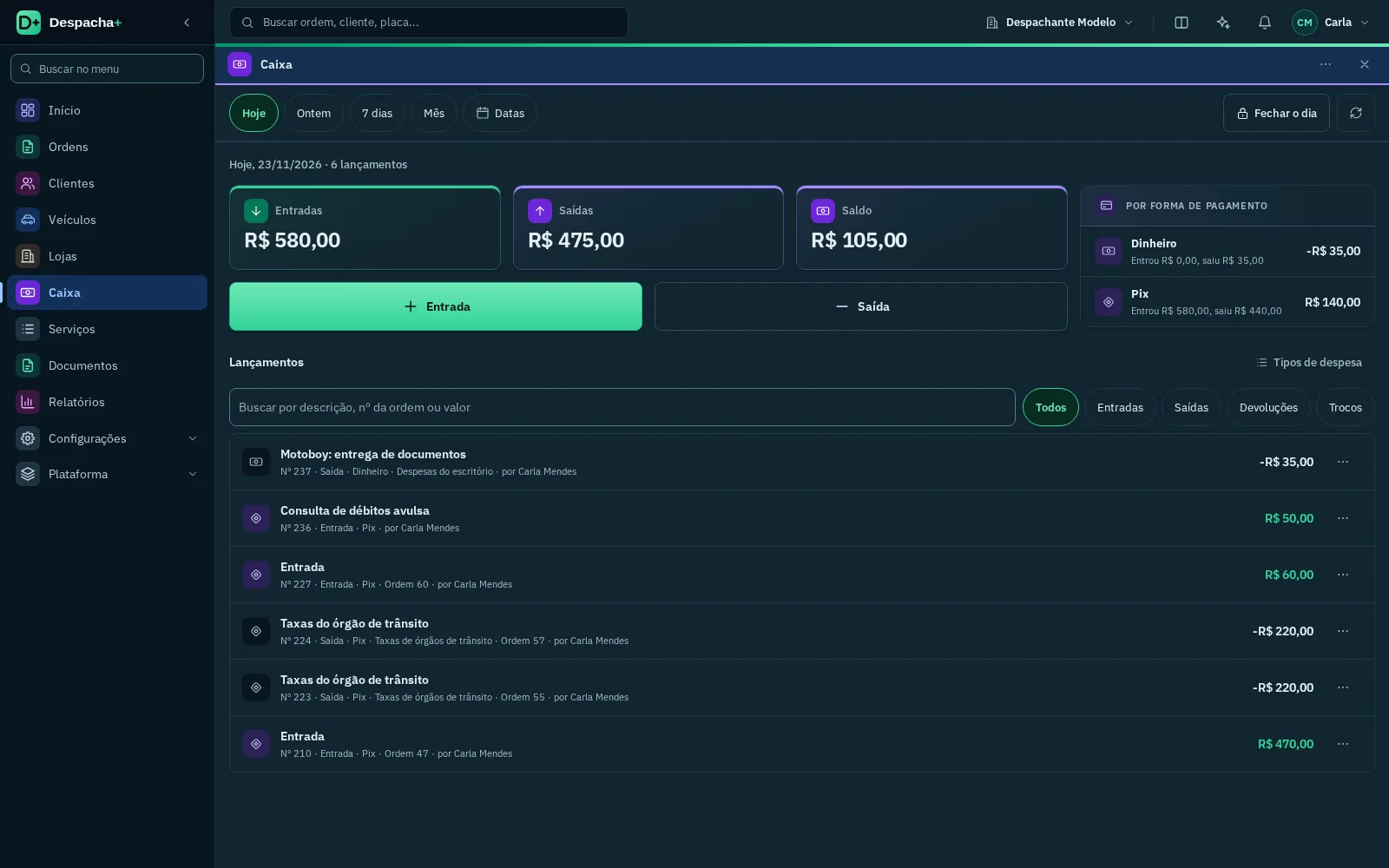
The report shows how much came in as cash, Pix and card, and expenses by type, from the same cash desk the front desk uses every day.
- Today, week, month, last month or custom dates
- Tap an indicator to open its orders
- Amounts shown only to those allowed to see them
03Every day
The essentials right on Home.
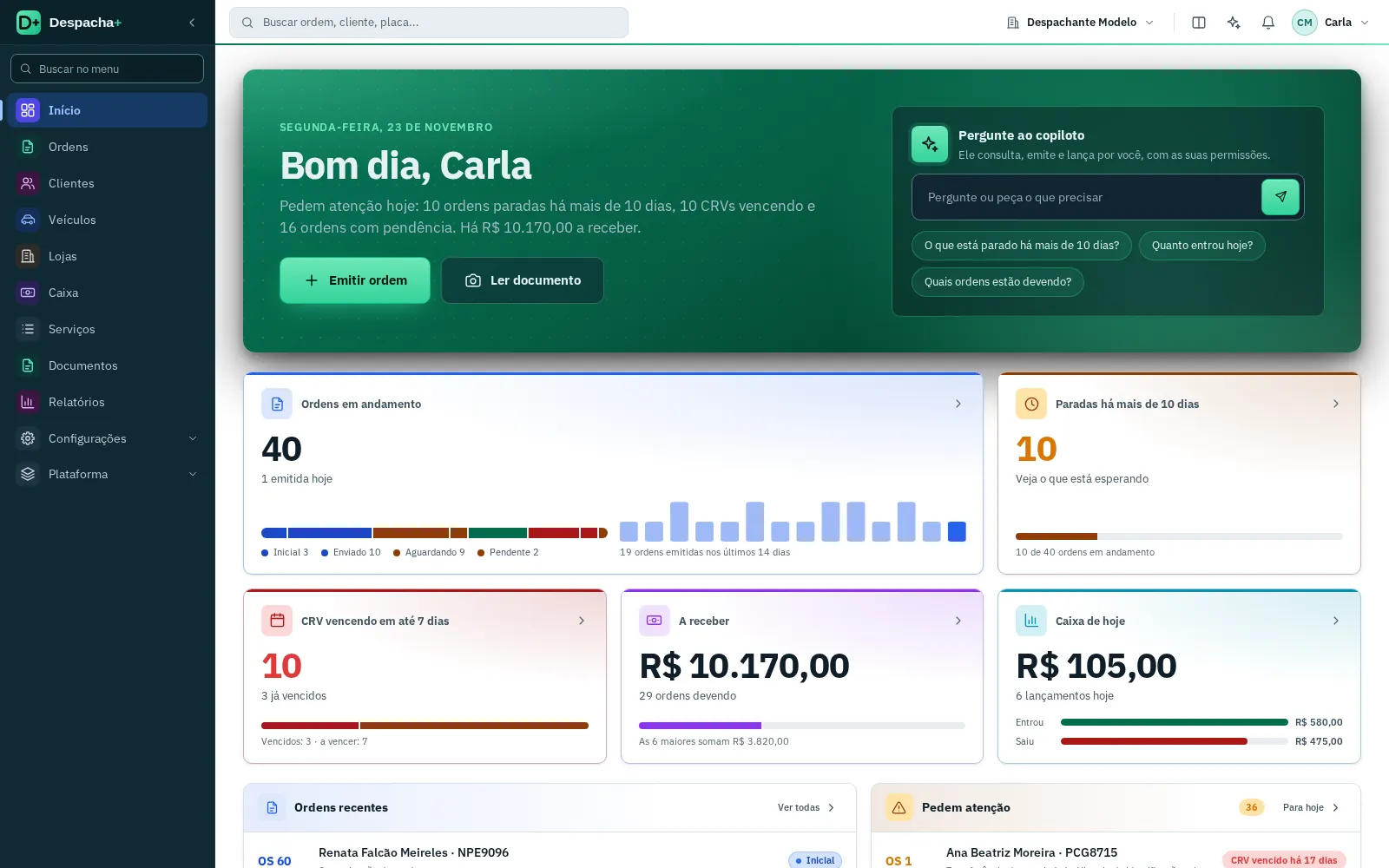
Orders in progress, stalled, receivable and today's cash desk appear on Home, with simple charts, for whoever opens the system in the morning.
- Orders issued in the last 14 days
- The largest receivables highlighted
- Ask the copilot whenever you want another number
04Keep exploring
Works together with the rest of the office.
Your office on Despacha+ today.
Fill in the details, create your password and get into the system with 10 days free. No card, no charge and no need to talk to anyone.
- 10 days free
- No card
- Instant access
- Unlimited AI
- No lock-in